Want to use Salesforce in dark mode? This step-by-step guide shows you how to access the appearance settings from your profile and switch from light to dark mode.
1. Turn on dark mode
A. Click your profile icon.
B. Locate Color Mode (Beta).
C. Select Dark.
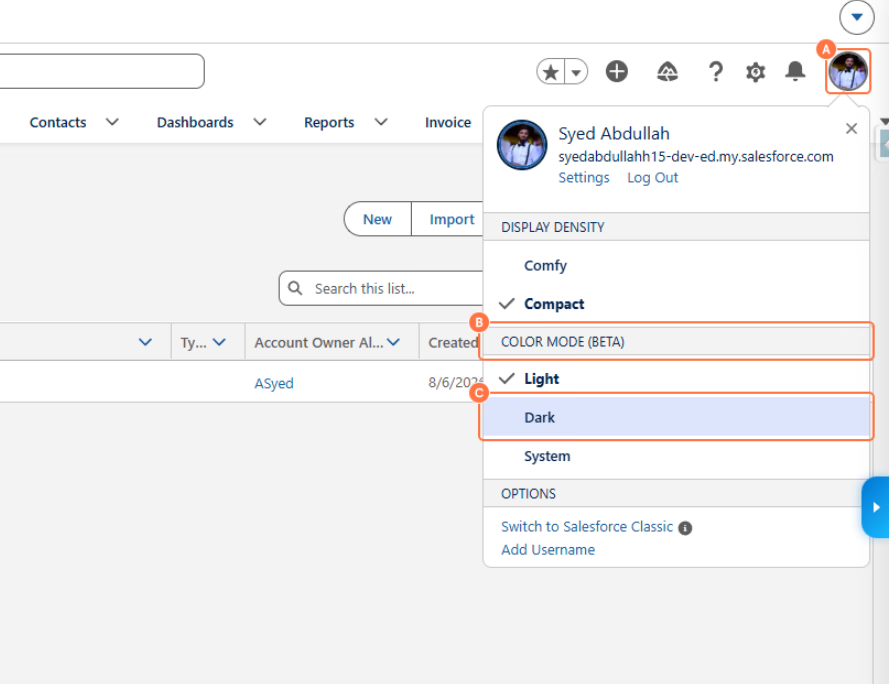
Well done! You've successfully switched Salesforce to dark mode.
Friends don't let friends learn the hard way.
Create how-to guides, in seconds.