Need to delete an account in Salesforce? This step-by-step guide shows you how to find an Account record, open its actions menu, and delete it from Salesforce.
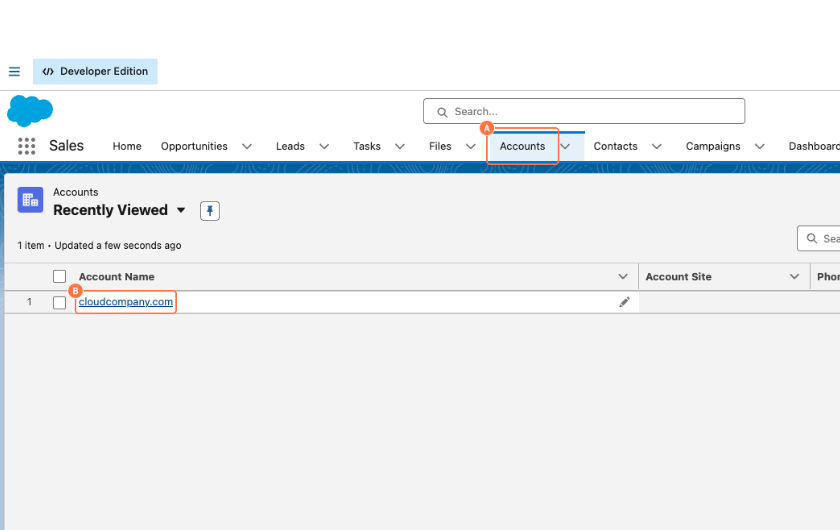
1. Open the account
A. Click on Accounts.
B. Click on the Account Name you want to delete.
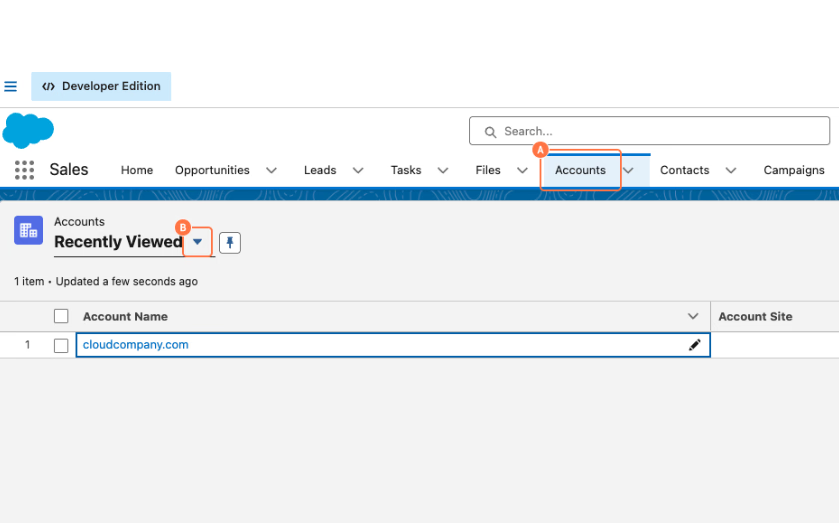
2. Open the account list dropdown
A. Click on Accounts.
B. Click on the dropdown arrow next to Recently Viewed.
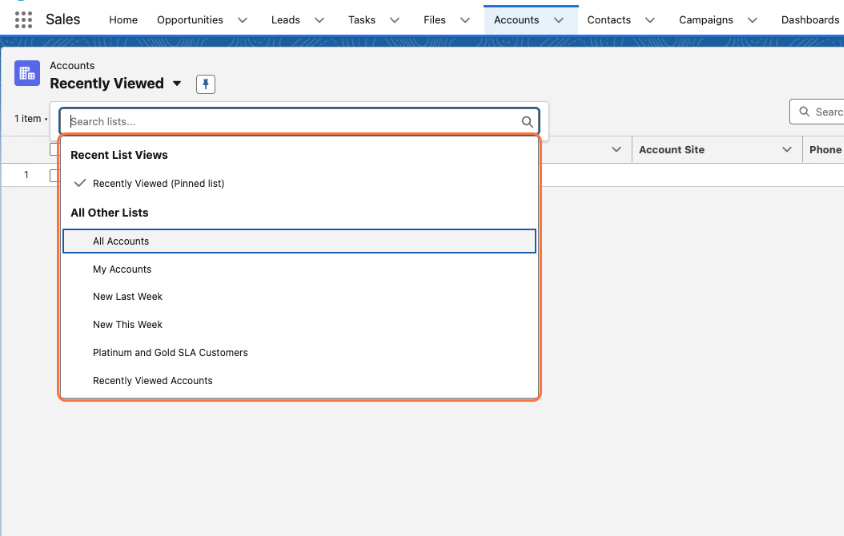
3. View all accounts
Select All Accounts from the list view dropdown.
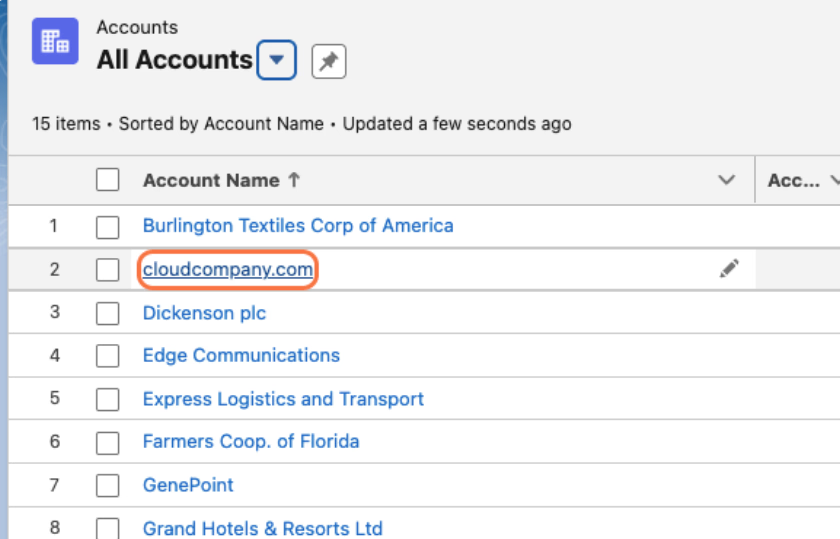
4. Select the account to delete
Click on the Account Name you want to delete.
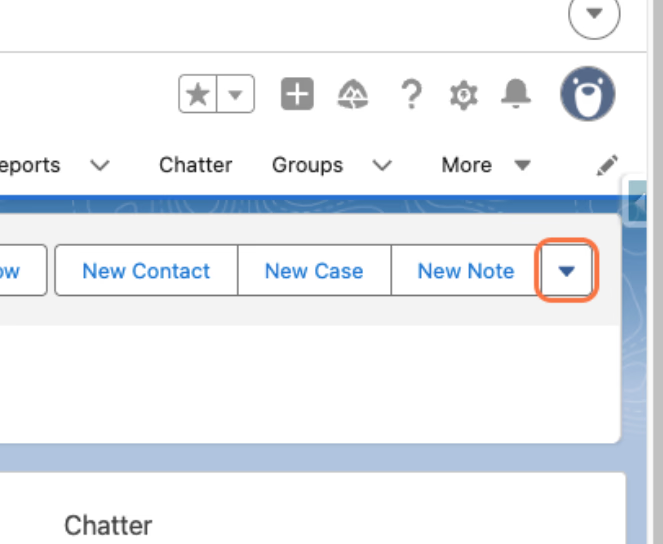
5. Open the account actions menu
Click on the actions dropdown in the upper-right corner.
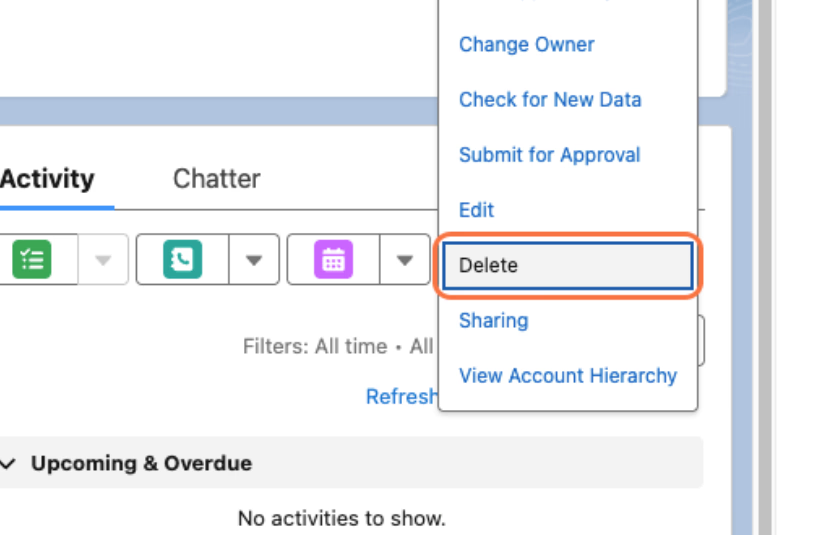
6. Delete the account
Click on Delete.
7. Confirm the deletion
Click on Delete to confirm.
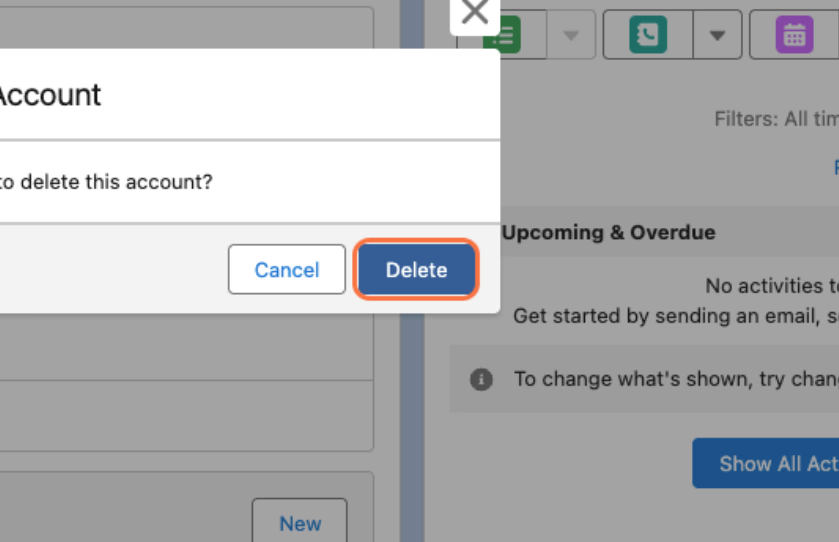
Well done! You've successfully deleted an Account record in Salesforce.
Friends don't let friends learn the hard way.
Create how-to guides, in seconds.