Skip to main content
Product
Product
Documentation
Capture what you know.
Enablement
Put it where people work.
Automation
Delegate repetitive work.
Check out what’s new!
Pricing
Pricing
Enterprise
Enterprise
Resources
Resources
Security
Reviews
Case Studies
Login
Login
Login
Login
See a demo
See a demo
See a demo
Get started for free
Get started for free
Get started for free
Product
See what’s new
Documentation
Capture what you know.
Enablement
Put it where people work.
Automation
Delegate repetitive work.
Pricing
Enterprise
Resources
Security
Reviews
Case Studies
Login
Login
Login
Login
See a demo
See a demo
See a demo
Get started for free
Get started for free
Get started for free
Created with Tango Gallery
Operations
How to Change Stripe Email Notifications from Profile Settings
Table of Contents
Table of contents loading....
Author
Created with Tango by:
Dan Giovacchini
Dan Giovacchini
i
Last Updated:
July 24, 2026
Software
Stripe
Use case
Operations
1.
Go to Home – Tango – Stripe
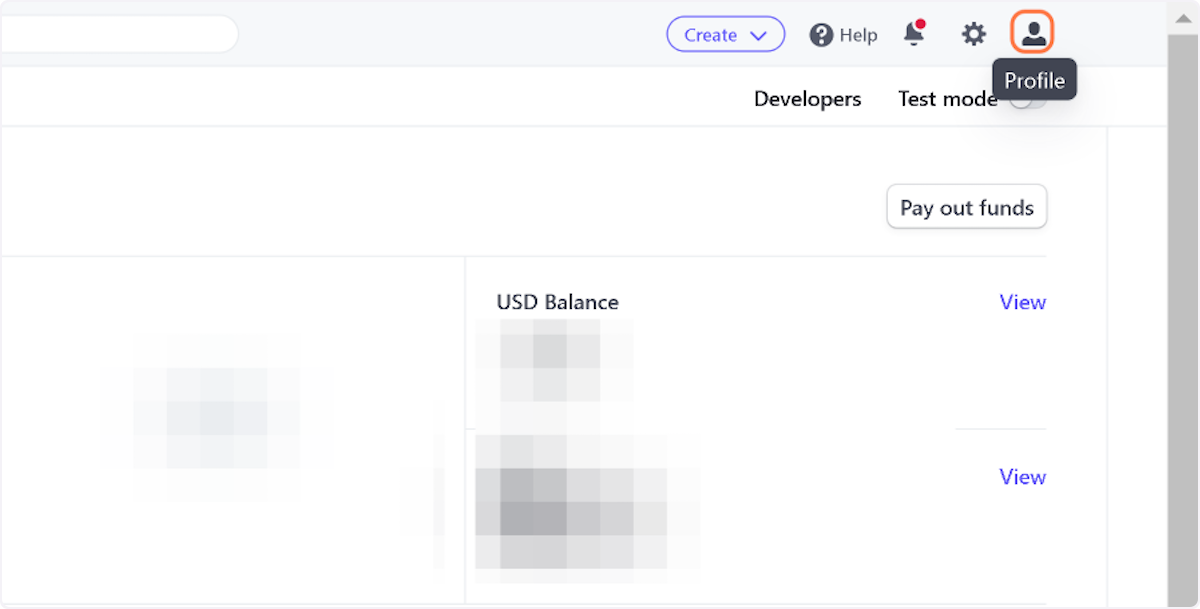
2. Click on Profile to get the dropdown menu
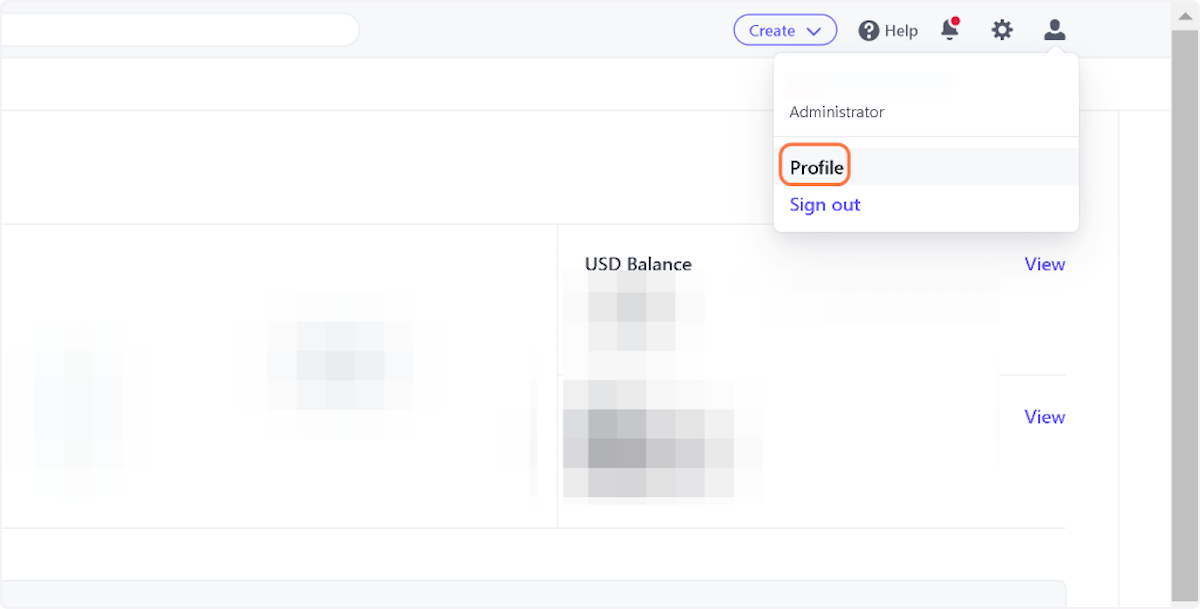
3. Click Profile
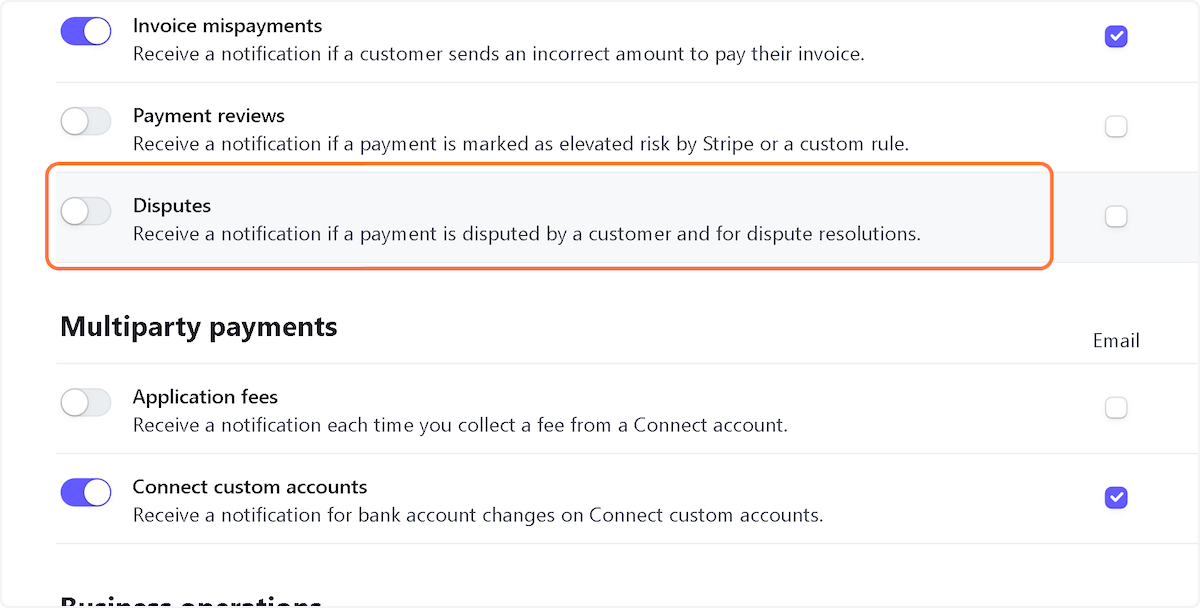
4. Click on Disputes (and any other notification you want to receive!)
Friends don't let friends learn the hard way.
Create how-to guides, in seconds.
Try Tango for Free
More Tangos from
Stripe
Finance
Workflow
Accessing and Exporting Promo Code Redemptions in Stripe
May 18, 2023
Productivity
Workflow
Stripe: How to change the company address on invoices
May 18, 2023
Finance
Workflow
Using a Trial Period to move back a Billing Period in Stripe
May 18, 2023
This is some text inside of a div block.