The best alternative to Pendo

Pendo helps you measure adoption. Tango helps drive it.
Turn process documentation into action with interactive guidance delivered where work happens.
Tango logo and Pendo logo with a connecting line between them, surrounded by question marks.
Soft peach background with curved orange lines and minimalist designSoft pink background with a curved orange-red line

Tango and Pendo strengths

From measuring adoption to driving adoption. Here's how the two platforms compare.

Capture any process as you work with and instantly generate step-by-step guides
Deliver interactive guidance directly inside the apps your team already uses
Pin guides and tips exactly where teammates need help—no searching required
Play button icon
Turn any workflow into an embeddable video with a single click
Document complex workflows with multiple paths using Workflow Branching
Automatically detect and redact sensitive information
Graph icon representing analytics and engagement tracking
Track process adoption with step-level analytics to identify where people get stuck
Person icon
Instantly translate workflows for global teams
Graph icon representing analytics and engagement tracking
Measure product usage and feature adoption with product analytics
Build interactive product tours and onboarding guides
Replay user sessions to identify friction points
Collect customer feedback with in-app surveys and NPS
Personalize user experiences with audience segmentation
Announce new features with in-app messages
Deep purple abstract background with curved layered geometric shapes
Why Choose Tango?

Go beyond measuring software adoption to helping people complete work.

Tango Guide Me

Deliver interactive, in-app guidance so employees can complete processes with confidence.
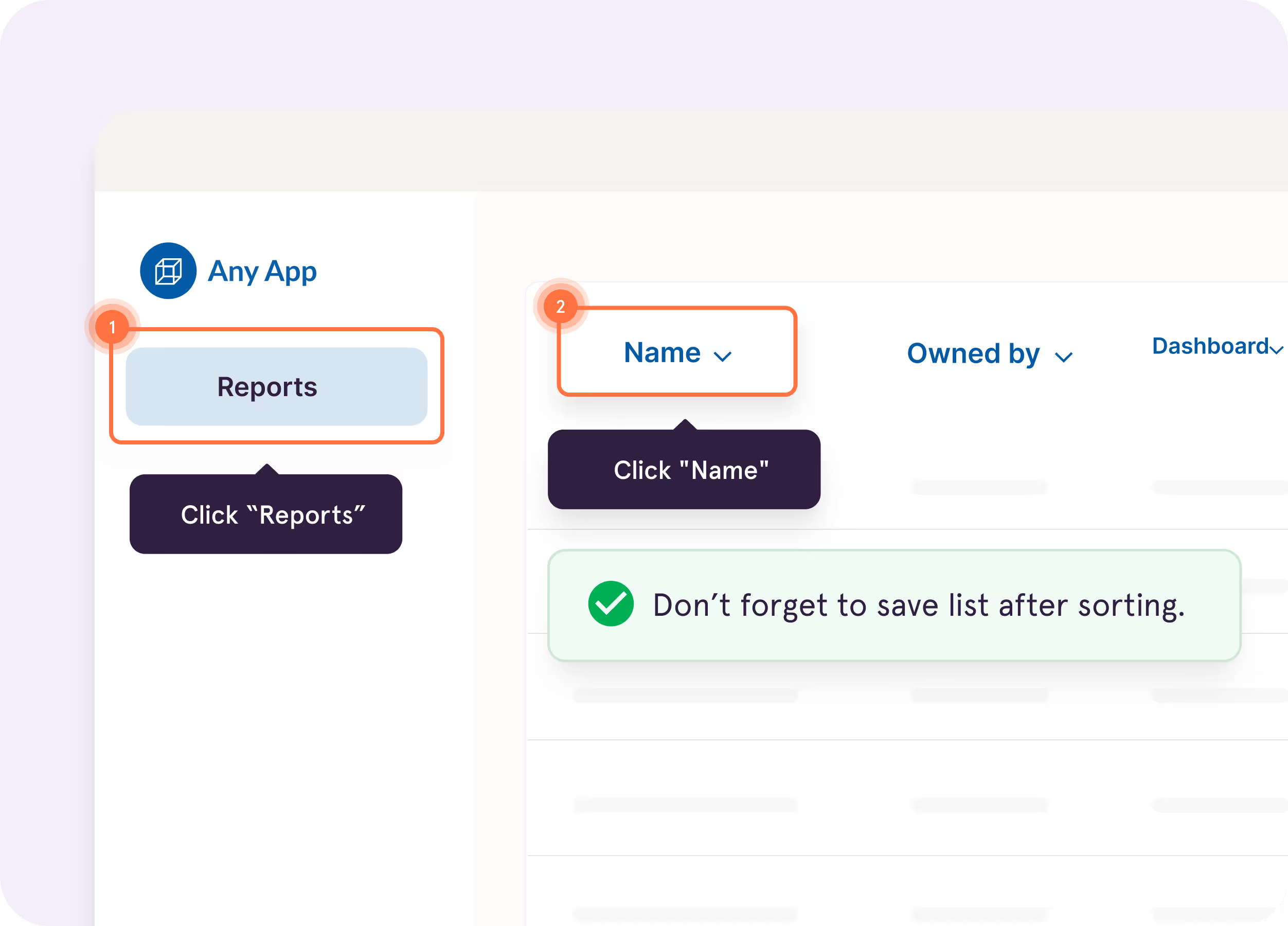
Screenshot of a guide interface titled ‘Creating a Lead in Salesforce: Step-by-Step Guide,’ with options for scrolling and opening the guide, next to text highlighting Tango Capture and Tango Embed features
Blurred white and gray document or webpage with minimal content
Computer screen showing Calendly interface for scheduling discovery calls

Tango Nuggets

Pin guides, tips, and resources right where employees get stuck, so help is always within reach.
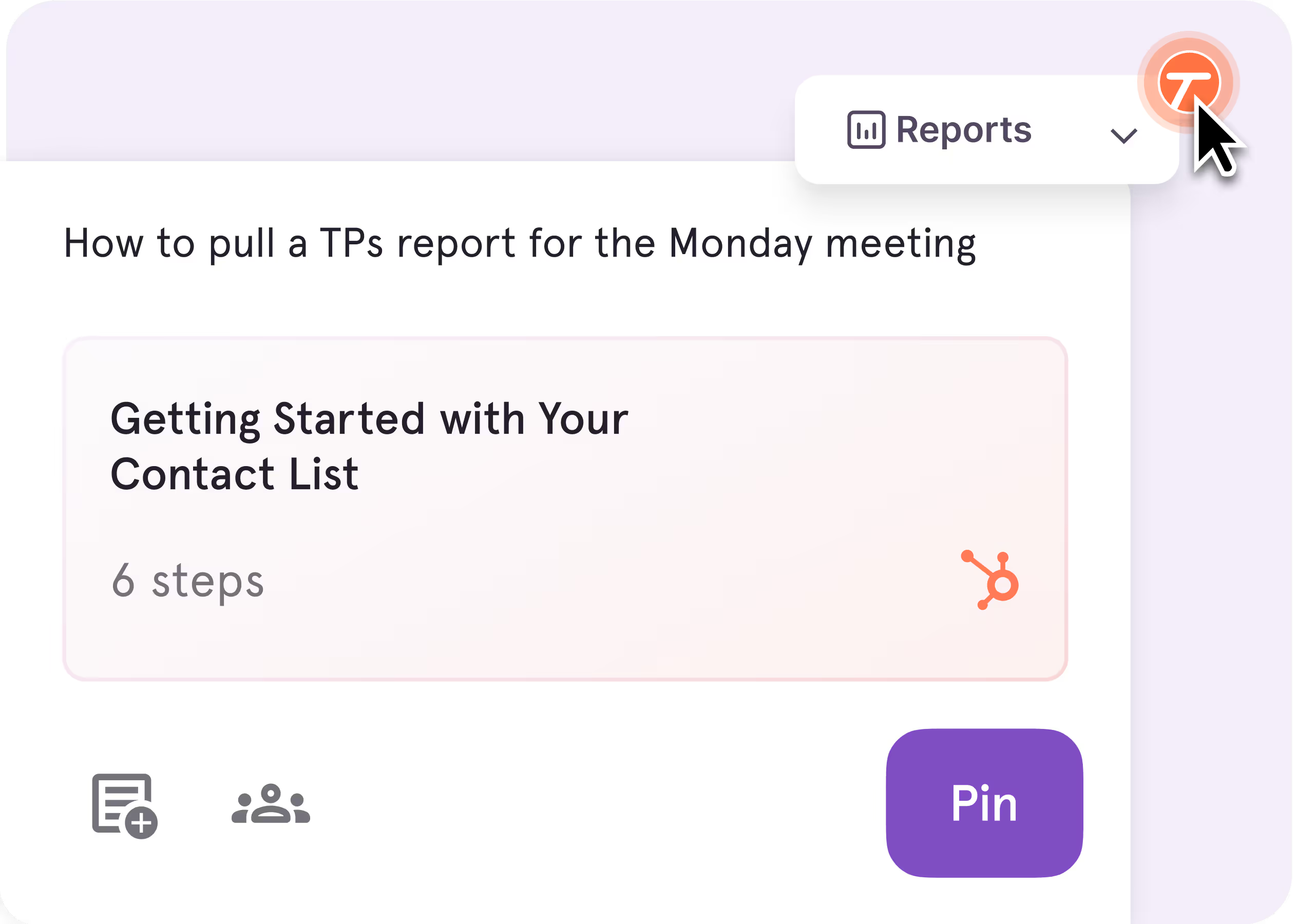
Screenshot of a guide interface titled ‘Creating a Lead in Salesforce: Step-by-Step Guide,’ with options for scrolling and opening the guide, next to text highlighting Tango Capture and Tango Embed features
Blurred white and gray document or webpage with minimal content
Computer screen showing Calendly interface for scheduling discovery calls

Tango Agents

Automate repetitive processes so teams spend less time on routine work and more time on what matters.
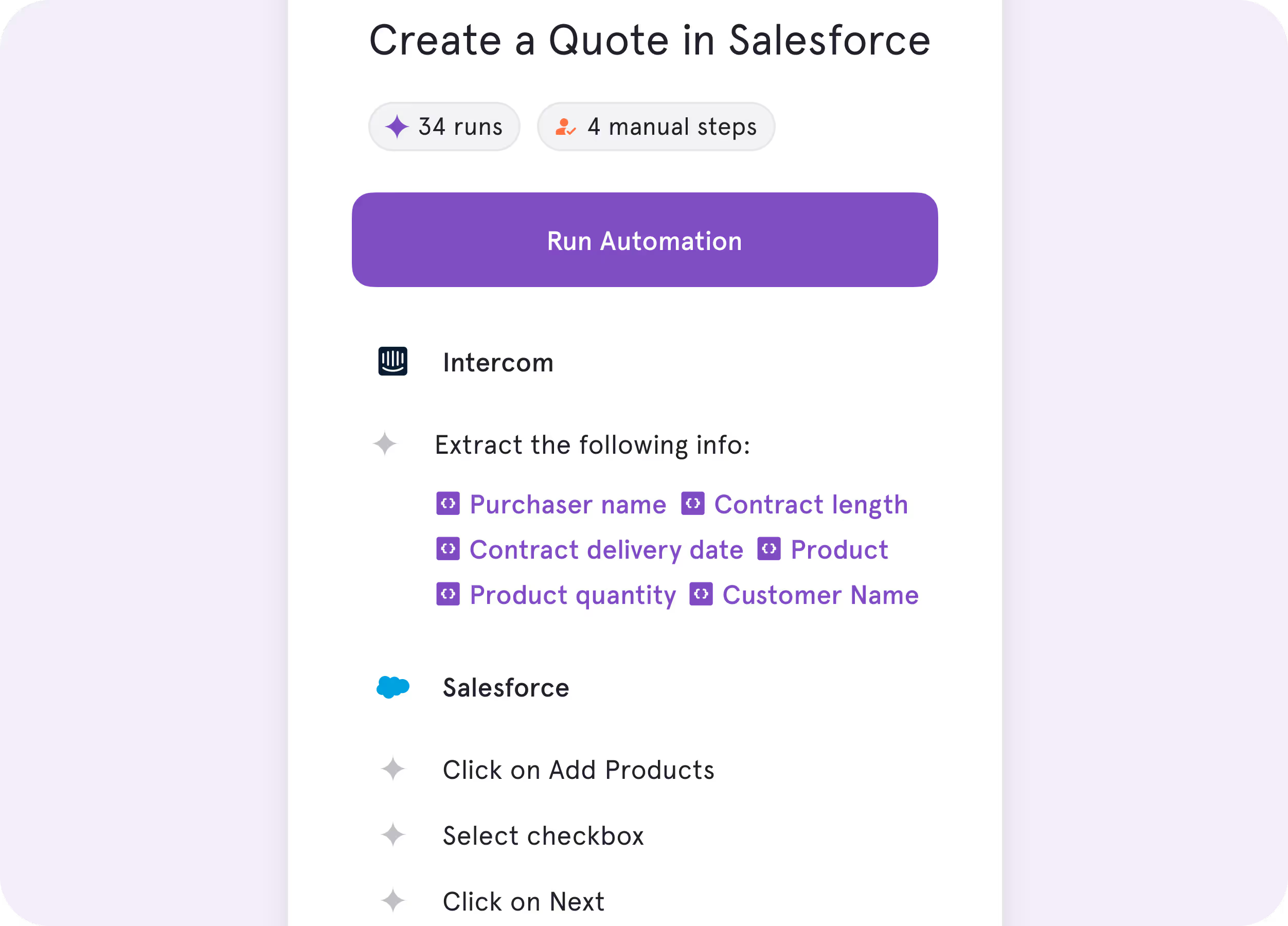
Screenshot of a guide interface titled ‘Creating a Lead in Salesforce: Step-by-Step Guide,’ with options for scrolling and opening the guide, next to text highlighting Tango Capture and Tango Embed features
Blurred white and gray document or webpage with minimal content
Computer screen showing Calendly interface for scheduling discovery calls
No one wants to spend 15 minutes reading about a process when they could use that time to actually do the process.
Tom | Learning & Development Manager
Decorative quotation mark iconDecorative quotation mark icon
Why Choose Pendo?

Understand product adoption with analytics and customer feedback.

Product analytics

Measure feature adoption and understand how users interact with your software.

Screenshot of a guide interface titled ‘Creating a Lead in Salesforce: Step-by-Step Guide,’ with options for scrolling and opening the guide, next to text highlighting Tango Capture and Tango Embed features
Blurred white and gray document or webpage with minimal content
Computer screen showing Calendly interface for scheduling discovery calls

Product feedback

Collect in-app surveys and NPS feedback to prioritize product improvements.
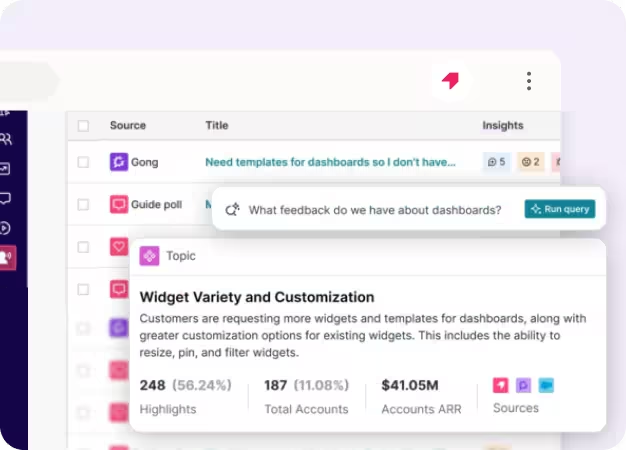
Screenshot of a guide interface titled ‘Creating a Lead in Salesforce: Step-by-Step Guide,’ with options for scrolling and opening the guide, next to text highlighting Tango Capture and Tango Embed features
Blurred white and gray document or webpage with minimal content
Computer screen showing Calendly interface for scheduling discovery calls

Key Differences

Both platforms help organizations improve software adoption. The difference is how they do it.

Unique features

How do you put your documentation to work?
Pendo

Interactive product tours and feature announcements help users discover and adopt new features.

Tango

Guided walkthroughs surfaced directly inside the software where work happens.

User icon with workflow process steps and communication icon

End user experience

How does each tool help employees get unstuck?
Pendo

Contextual onboarding, tooltips, and product tours help employees navigate software and discover available features.

Tango

In-app walkthroughs, tips, and embedded guidance help users complete work in real time.

Orange cube connected to location pin by curved path

Product roadmap

What's next for each platform?
Pendo

AI-powered analytics, customer insights, and digital experience optimization.

Tango

AI-powered in-app guidance, workflow automation, and software adoption.

What’s in it for you

What kind of business impact will you be able to drive?
Pendo

Understand product adoption, identify friction, and make data-driven improvements.

Tango

Document processes faster and improve process adoption, software ROI, and productivity.

In six months with Tango, we improved access
to knowledge by 20% and employee satisfaction by 25%.
Emily | Senior Product Development Manager
Decorative quotation mark iconDecorative quotation mark icon

What do Tango and Pendo have in common?

Documentation

Create interactive software guides with screenshots

Add text, buttons, and rich media to guidance

Support web-based applications across your organization

Sharing

Invite others to edit and collaborate in a shared workspace

Deliver guidance inside software applications

Control access with user roles and permissions

Integrate your guides with the tools your team already uses

Access analytics to measure engagement and software adoption

Streamline your end user experience with single sign-on (SSO)

Protect your data with SOC 2 Type II compliance

Compare Tango vs other popular tools

Jump to the comparison that's most relevant to you.

Blue cloud-shaped logo representing Salesforce company branding
Scribe alternative
Blue cloud-shaped logo representing Salesforce company branding
Guidde alternative
Blue cloud-shaped logo representing Salesforce company branding
UserGuiding alternative
Blue cloud-shaped logo representing Salesforce company branding
Whatfix alternative
Blue cloud-shaped logo representing Salesforce company branding
Walkme alternative
Blue cloud-shaped logo representing Salesforce company branding
Loom alternative
Blue cloud-shaped logo representing Salesforce company branding
Notion alternative
Blue cloud-shaped logo representing Salesforce company branding
Confluence alternative
Blue cloud-shaped logo representing Salesforce company branding
SharePoint alternative
Blue cloud-shaped logo representing Salesforce company branding
Process Street alternative
Blue cloud-shaped logo representing Salesforce company branding
Document360 alternative
Blue cloud-shaped logo representing Salesforce company branding
Trainual alternative
Blue cloud-shaped logo representing Salesforce company branding
ClickHelp alternative
Our newest sales reps are correctly adopting our HubSpot
processes on their first day with Tango—much faster than previous
cohorts without it.
Tom | Sales Enablement Manager
Decorative quotation mark iconDecorative quotation mark icon

The GPS for processes

Top performing companies use Tango to accelerate knowledge sharing, process adoption, and software ROI.
Decorative quotation marks background graphicDecorative quotation marks background graphic

With Tango, I get to make learning software feel like the Cadillac experience.

Chad, Customer Success Leader

See Tango’s
Software Knowledge Layer in action

Orange and white stylized T logo with sparkle effects on pink background