Your employees ask AI how to do their jobs. Does it know how your company actually works?

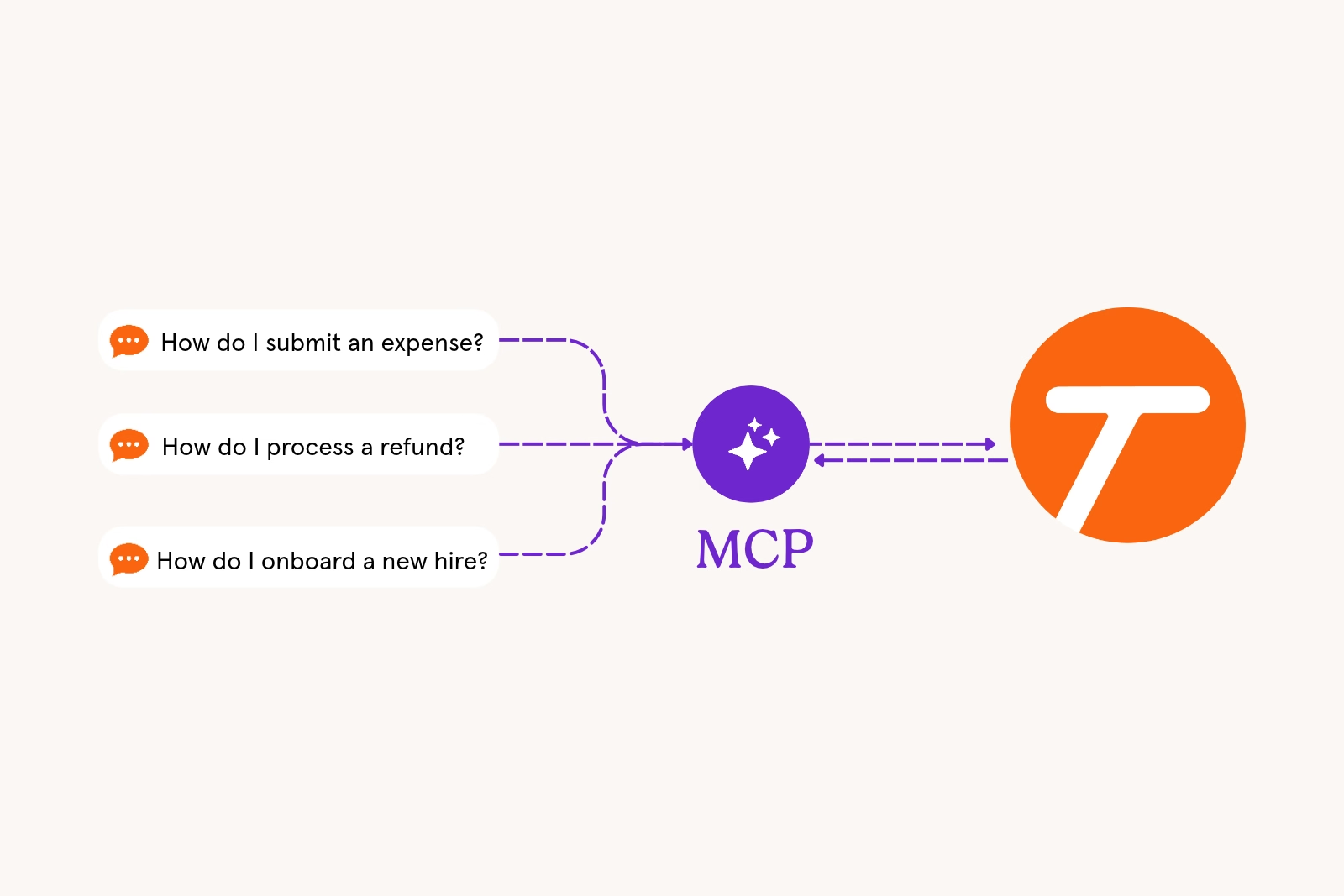
Someone on your finance team needs to process a refund and isn't sure of the steps. They don't open the knowledge base or message a coworker. They ask the AI assistant that's already open in another tab.
That assistant can explain how refunds work in NetSuite broadly. But it doesn't know that, for your company, each refund needs manager approval, or that only certain orders are eligible for refunds.
When it comes to AI, knowing how to use an application isn't the same as knowing how your company uses it.
Why knowledge bases become knowledge cemeteries
Most companies have documented a lot: SOPs, training materials, wikis, and folders of how-to guides. What's changed is how people look for answers.
Searching a knowledge base means guessing the right title, opening a few documents, and checking which one is current. Asking an AI assistant takes one question. When the assistant is faster, the knowledge base gets fewer visits.
Over time, it becomes a knowledge cemetery. The information is still there, but nobody goes to look for it.
The documentation still matters. It just needs to be where people now ask their questions.
Generic answers are often the wrong answer
When an assistant can't see your company's processes, it answers from general knowledge. The answer may sound right. It might even name the correct menus and fields in the tools your team uses.
What it leaves out is what makes it your process: the approval step, the threshold, the exception your team handles differently. An employee following a confident, generic answer can skip a step they didn't know existed.
Telling people to stop asking AI won't fix that. Giving the assistant your company's context and process guides will.
Your assistant needs the right documentation
A common workaround is copying SOPs into an AI knowledge base or an agent's files. That works until something changes. What happens when your apps receive a major update? Or when process rules change?
To point people to the correct process, an assistant needs documentation that is:
- Current: the version your team follows today
- Step by step: what to click, in which app, in what order
- From the people who do the work: captured as they do it, not rebuilt from memory
- Linked to the source: so employees can check the original
That's what teams build in Tango, which they can now access in their AI assistants via the Tango MCP. As a process expert completes a workflow, Tango captures it as a step-by-step guide with screenshots. When a process changes, the guide is updated in one place.
Tango MCP brings your guides into the assistant your team already uses
Tango MCP connects the AI assistant your company has already approved to the Tango guides your experts made.
When an employee asks how to do something, the assistant can pull the relevant Tango and answer from its steps and screenshots, with a link back to the original guide. (MCP stands for Model Context Protocol, a standard way for AI assistants to retrieve information from other tools.)
How to ask. Assistants may not always check Tango on their own. Starting with "Check our Tangos for…" tells the assistant where to look.
For people following a process:
- "Check our Tangos for how to process a refund in NetSuite."
- "Check our Tangos for onboarding a new accounts payable specialist."
For process owners:
- "Check our Tangos and map our AP process."
- "Check our Tangos for US and Canada vendor onboarding. Where can we cut steps?"
In that last example, Tango supplies the guides and the AI assistant does the comparison. Teams can work with the documentation they already have instead of redoing it.
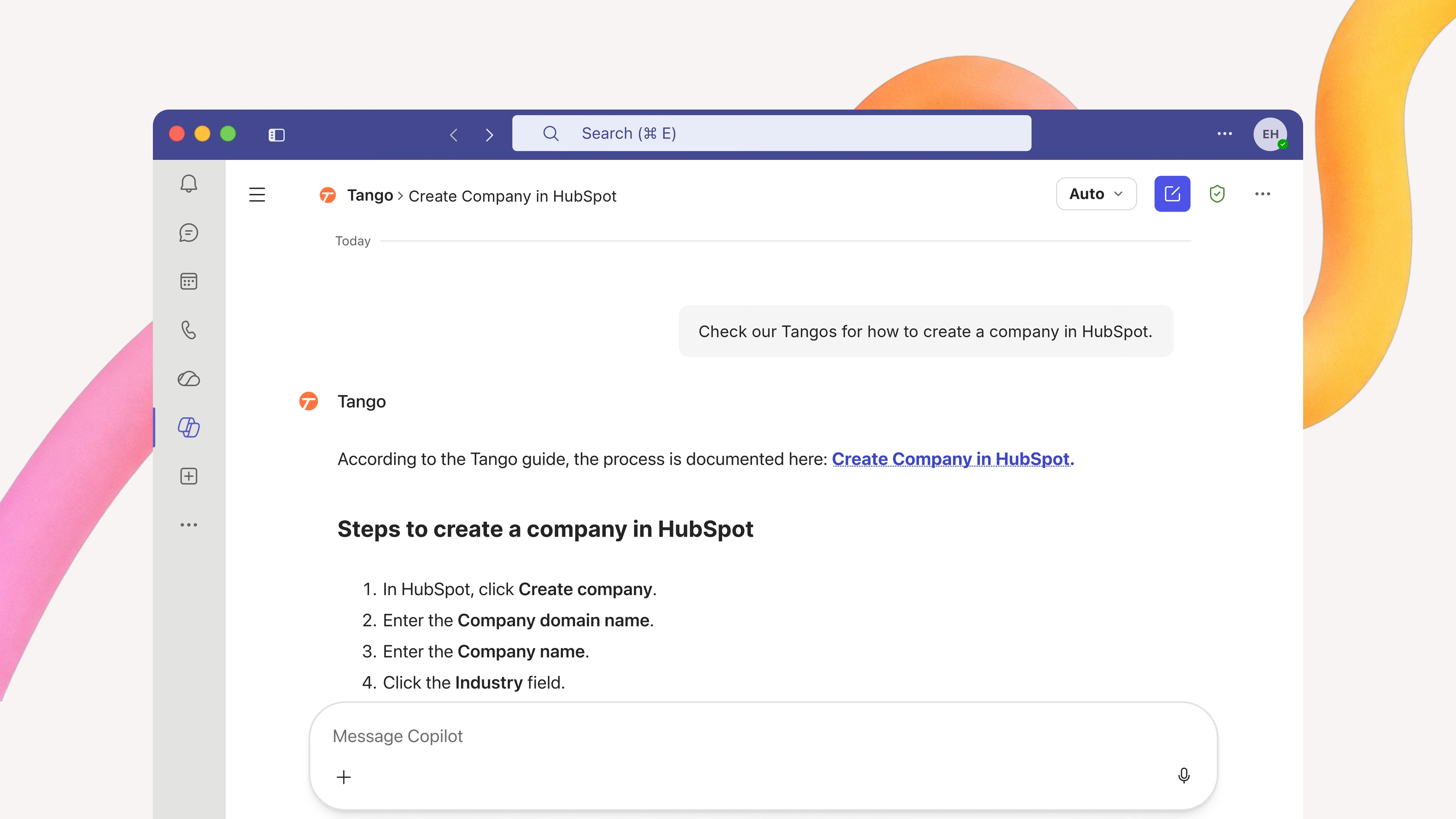
What people can see. Tango MCP is read-only. It retrieves guides. It doesn't create or edit documentation or take actions in other apps. Employees only see the Tangos they can already access in Tango.
Put your guides where people ask
Your employees will keep asking AI how to do their jobs. When the answer comes from your Tangos, it reflects how your company works, with the steps and screenshots to follow it.
Your Tangos, in your AI assistant.
FAQ
Yes. When an AI assistant is connected to your company's process documentation, it can use that information to answer employee questions. Tango MCP works with Microsoft Copilot and ChatGPT, connecting them to your existing Tango guides so employees can get answers based on their company's documented steps.
Not for processes documented in Tango. The assistant retrieves the current guide from Tango, so there's no separate copy to keep up to date.
No. Tango MCP is read-only. Teams create and update guides in Tango, and Tango MCP makes them available in the assistant.
No. Employees can only retrieve Tangos they already have access to in Tango. Connecting an assistant doesn't grant new access.


Next time someone asks, “how do I…?” Send a Tango.
Start capturing your first workflow today.