

Document Processes for AI Transformation in Minutes
Join 1M+ users driving transformation with Tango:
Capture any process in minutes
Share your workflow with your LLM of choice
Automate and optimize your process with agents
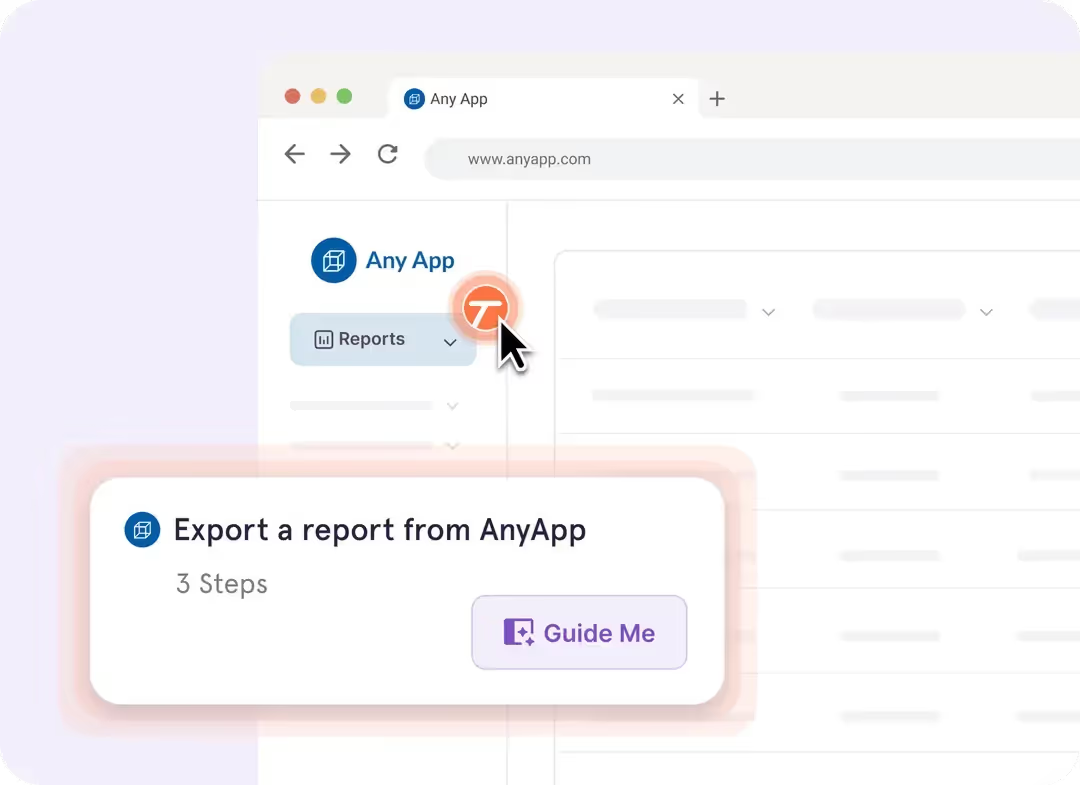

The best companies drive AI transformation with Tango






Inconsistent processes
stall AI programs
IT, Operations, and Change teams

Hours are wasted assembling manuals

Manually written SOPs don’t always reflect how teams operate

Pressure to automate faster than existing documentation allows
Organizations

Want to use LLMs and agents to optimize workflows and automate processes

Know AI adoption is a competitive necessity

Struggle to deliver real AI transformation around complex processes
Accelerate AI Transformation with Detailed SOPs
Teams using Tango can create polished, step-by-step guides for every workflow. Those guides become force multipliers for your LLMs and agents:
Find automation opportunities
Feed AI Agents your Tango guides to search for processes that are ripe for automation.
Optimize existing processes
Use LLMs to analyze your Tango guides and identify ways to improve your workflows.

Improve AI agents
Use Tango guides to train agents, helping to increase efficiency, avoid bottlenecks, and automate full workflows faster.
Tango's browser extension works across CRM, ERP, & HRIS systems, as well as thousands of web-based tools. No integrations or API setup needed.


%201.avif)







See how Jasco Manufacturing cut 90% of errors
How Tango helps drive successful AI Automation rollouts
Avoid endless pilot programs
Identify the exact processes where AI agents can deliver the most value

Reduce manual burden
Document processes by doing them, rather than writing them out, then use documentation to train RPA and AI

Improve automation accuracy
Build automations around how teams really complete your processes

Support AI integration
Deploy agents around existing workflows to avoid friction and enable smoother integration
Don’t spend 12 hours documenting SOPs. Use Tango to create them in minutes.
There’s two ways to get started:
Get a demo 😍
Watch a self-service video or connect with our sales team.
Make your first Tango 💃
It's completely free, no credit card required, and takes literally 3 minutes.


